

How to Choose the Right Ethernet Gateway?
Choosing the right Ethernet Gateway is rarely a simple matter of comparing ports, speeds, and prices. It is a decision about how reliably machines, sensors, controllers, and cloud platforms will communicate every day. A gateway may sit inside a dusty cabinet, manage traffic across different protocols, and protect valuable operational data. Small choices can create large consequences.
Bob Metcalfe, co-inventor of Ethernet, described the technology as “the plumbing of the Internet.” His comparison remains useful. Plumbing must fit the building, handle pressure, and keep flowing. An Ethernet Gateway must match the network’s architecture, traffic demands, security requirements, and future expansion plans. A device that works perfectly in a laboratory may struggle beside motors, heat, vibration, or unstable power.
The right selection begins with real conditions, not attractive specifications. Check protocol support, throughput, latency, redundancy, mounting options, management tools, and environmental ratings. Confirm whether the gateway supports Modbus, PROFINET, EtherNet/IP, MQTT, or another required protocol. Do not assume compatibility.
That mistake is common.
Experience also shows that the cheapest gateway may become the most expensive component after installation. Firmware support, replacement availability, documentation, and vendor expertise deserve equal attention. Still, no product is perfect. A highly secure model may complicate maintenance, while a flexible model may require stronger configuration discipline. This guide examines those trade-offs clearly, helping you choose an Ethernet Gateway that performs reliably today without quietly limiting tomorrow’s network.
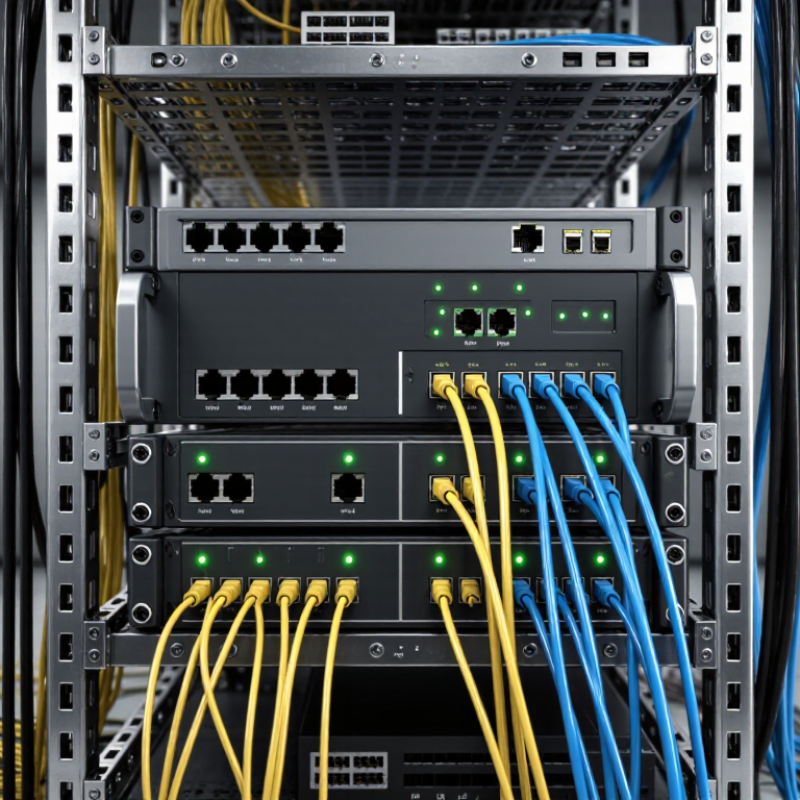
Define the Role and Requirements of an Ethernet Gateway
An Ethernet gateway is the translator between networks, devices, and applications. Its role must be defined before comparing ports or prices. In a factory, it may connect sensors using industrial protocols to an Ethernet-based control system. In a building, it may transfer meter data to a monitoring platform. The gateway should manage protocol conversion, traffic filtering, diagnostics, and controlled data access.
Requirements begin with the data path. Identify connected protocols, message frequency, packet size, latency limits, and expected device growth. A gateway for 20 sensors differs from one serving 500 devices across several floors. According to the Uptime Institute Global Data Center Survey 2024, 54% of respondents reported that their latest outage cost more than $100,000. This supports careful attention to redundancy, power recovery, event logging, and remote maintenance. Security also matters. Select encrypted management, role-based access, secure firmware updates, and network segmentation. I have seen teams focus on bandwidth first. That can be a costly mistake. Reliability is often the missing requirement.
Tips: Build a one-page traffic map before selecting hardware. Record every protocol, endpoint, cable distance, and failure response. Test the gateway with real devices, not only laboratory simulators. Leave capacity for future expansion, but avoid buying excessive features without a clear operational purpose. A useful gateway should make faults visible, recovery practical, and daily administration less complicated. The first specification may be wrong. Review it after a pilot.
How to Choose the Right Ethernet Gateway? - Define the Role and Requirements of an Ethernet Gateway
| Selection Dimension | Gateway Role or Requirement | Recommended Technical Criteria | Practical Selection Guidance |
|---|---|---|---|
| Primary Function | Connect Ethernet networks with different industrial, cellular, serial, or fieldbus interfaces. | Confirm whether the gateway is required for protocol conversion, remote access, data aggregation, routing, or edge computing. | Define the gateway's main task before comparing hardware specifications. |
| Ethernet Port Type | Provide communication with local switches, controllers, servers, or other network devices. | Choose copper Ethernet, fiber Ethernet, or a combination. Support for 10/100 Mbps or 10/100/1000 Mbps should match the network infrastructure. | Use Gigabit Ethernet when higher data throughput or future expansion is expected. |
| Number of Ethernet Ports | Separate network segments, connect multiple devices, or support network redundancy. | Evaluate the number of LAN, WAN, or dual-purpose ports required, including spare ports for expansion. | Allow at least one additional port when the installation may grow or require a maintenance connection. |
| Protocol Compatibility | Exchange data between devices that use different communication protocols. | Check required standards such as TCP/IP, UDP, HTTP, HTTPS, MQTT, Modbus TCP, Modbus RTU, OPC UA, or SNMP. | Verify the exact protocol functions, data formats, register mapping, and supported client or server modes. |
| Serial or Fieldbus Integration | Connect legacy equipment to an Ethernet or cloud-based system. | Confirm support for interfaces such as RS-232, RS-422, RS-485, CAN, or other required fieldbus connections. | For RS-485 networks, check two-wire or four-wire operation, termination requirements, and maximum node count. |
| Data Throughput | Transfer application data without congestion or unacceptable delay. | Consider port speed, packet-processing capacity, protocol overhead, concurrent connections, and peak traffic. | Choose capacity above the measured peak load rather than sizing only for the average data rate. |
| Latency and Determinism | Support time-sensitive control, monitoring, or machine-to-machine communication. | Review typical latency, processing delay, jitter, and support for industrial communication priorities. | For closed-loop control, validate performance in the actual network instead of relying only on nominal port speed. |
| Routing Capability | Manage communication between separate IP networks or provide controlled WAN access. | Look for static routing, DHCP, NAT, VLAN support, firewall rules, and IPv4 or IPv6 compatibility as required. | Use routing features when network segmentation, address translation, or controlled access between subnets is needed. |
| Network Redundancy | Maintain communication when a cable, switch path, or network connection fails. | Check support for dual uplinks, ring protocols, link failover, redundant power inputs, or automatic route switching. | Select a redundancy method compatible with the existing switches and required recovery time. |
| Cybersecurity | Protect connected devices, data, and remote management interfaces. | Prioritize HTTPS, SSH, VPN, access control, role-based accounts, secure firmware updates, firewall rules, and event logging. | Disable unused services, change default credentials, and require encrypted communication for remote access. |
| Remote Management | Configure, monitor, diagnose, and update gateways at distributed sites. | Consider web management, CLI, SNMP, centralized management, configuration backup, alarms, and audit logs. | Choose remote tools that reduce site visits while preserving authentication and permission controls. |
| Cloud or IoT Connectivity | Send operational data to applications, platforms, or enterprise systems. | Check support for MQTT, HTTPS, TLS encryption, certificate management, message buffering, and data filtering. | Use local buffering when the WAN or cloud connection may be interrupted. |
| Power Supply | Operate reliably from the available electrical system. | Match the input voltage range and polarity. Industrial installations commonly use low-voltage DC supplies, while some gateways also support AC input. | Consider dual power inputs or an uninterruptible power source for critical applications. |
| Environmental Rating | Operate safely in cabinets, factories, outdoor enclosures, or transportation environments. | Review operating temperature, humidity, vibration, shock, ingress protection, and electromagnetic compatibility requirements. | Use a wider temperature range and stronger enclosure protection when the installation location is exposed to heat, dust, moisture, or vibration. |
| Installation Method | Fit the gateway into the available control cabinet or equipment enclosure. | Check DIN-rail, wall-mount, panel-mount, or rack-mount options, along with dimensions, clearance, and cable access. | Leave space for ventilation, bending radius, connector access, and future maintenance. |
| Diagnostic Features | Identify connection failures, protocol errors, and device status problems. | Look for link indicators, port statistics, packet counters, event logs, loopback tests, ping tools, and protocol diagnostics. | Built-in diagnostics can significantly reduce troubleshooting time in remote or unmanned locations. |
| Scalability | Support additional devices, protocols, sites, or traffic over the service life. | Assess available memory, firmware upgrade capability, maximum device count, concurrent sessions, and expansion interfaces. | Plan for expected growth instead of selecting a gateway only for the current device count. |
| Lifecycle and Support | Maintain stable operation through long-term deployment. | Review firmware maintenance, documentation, configuration export, spare-unit strategy, and technical support availability. | For critical systems, document the configuration and keep a tested replacement unit available. |
| Verification Before Purchase | Confirm that the selected gateway works with the intended equipment and network. | Test protocol interoperability, throughput, failover, cybersecurity controls, environmental conditions, and configuration recovery. | A pilot test with representative devices is the most reliable way to validate compatibility. |